

Pearl Weapon FX
— 2DFX Project —
— 2DFX Project —
PROJECT INFO
This began as a casual animation project exploring weapon 2DFX; now it is my most popular Instagram post, with over 500,000 views and 90,000 likes!
BACKSTORY
Following another semi-viral Instagram post featuring my contributions to a Steven Universe Reanimate, I wanted to send a thank you to the new audience since it was my first time experiencing this level of virality. So, I constructed this animation as both a token of my appreciation and an introduction to my 2DFX specialty.
This began as a casual animation project exploring weapon 2DFX; now it is my most popular Instagram post, with over 500,000 views and 90,000 likes!
BACKSTORY
Following another semi-viral Instagram post featuring my contributions to a Steven Universe Reanimate, I wanted to send a thank you to the new audience since it was my first time experiencing this level of virality. So, I constructed this animation as both a token of my appreciation and an introduction to my 2DFX specialty.
MY ROLES
» Responsible for all aspects:
» 2D FX Animator
» 2D Character Animator
» Compositor
» Responsible for all aspects:
» 2D FX Animator
» 2D Character Animator
» Compositor
Animation Breakdown
— Click on a GIF to zoom in —
— Click on a GIF to zoom in —
BREAKDOWN TIMESTAMPS:
» 0:00 | Steps Comparison
» 0:05 | Roughs
» 0:08 | Cleans
» 0:11 | Color
» 0:14 | 2DFX & Lighting
» 0:18 | Compositing
» 0:00 | Steps Comparison
» 0:05 | Roughs
» 0:08 | Cleans
» 0:11 | Color
» 0:14 | 2DFX & Lighting
» 0:18 | Compositing
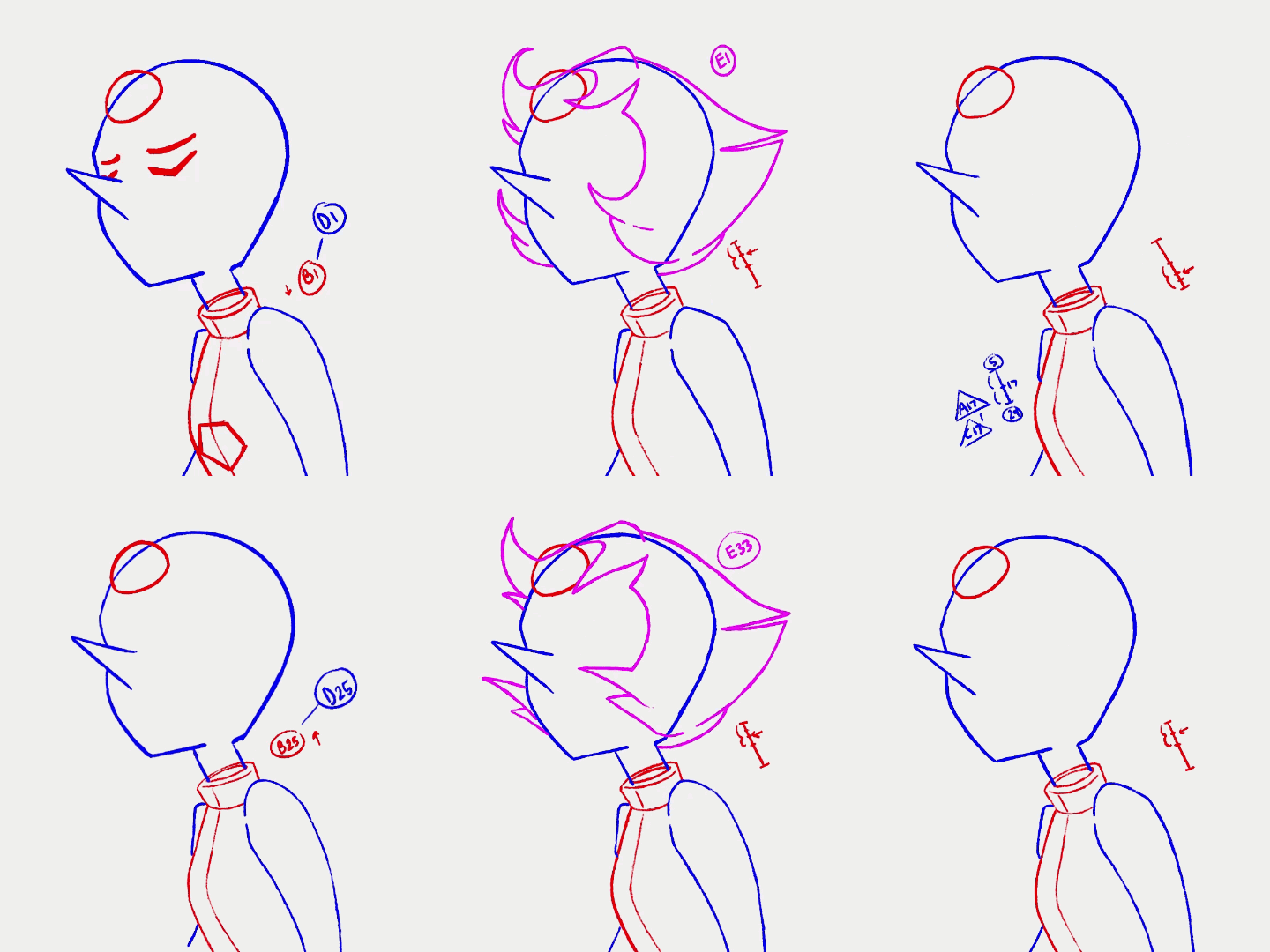
CHARACTER ROUGH ANIMATION
This is where I timed the key frames of the character.
To capture a more realistic breathing motion, I included overlapping animation throughout the body. Offset by 3 frames, the order goes as follows:
» Torso > Arms > Spear
» Head > Hair
This is where I timed the key frames of the character.
To capture a more realistic breathing motion, I included overlapping animation throughout the body. Offset by 3 frames, the order goes as follows:
» Torso > Arms > Spear
» Head > Hair
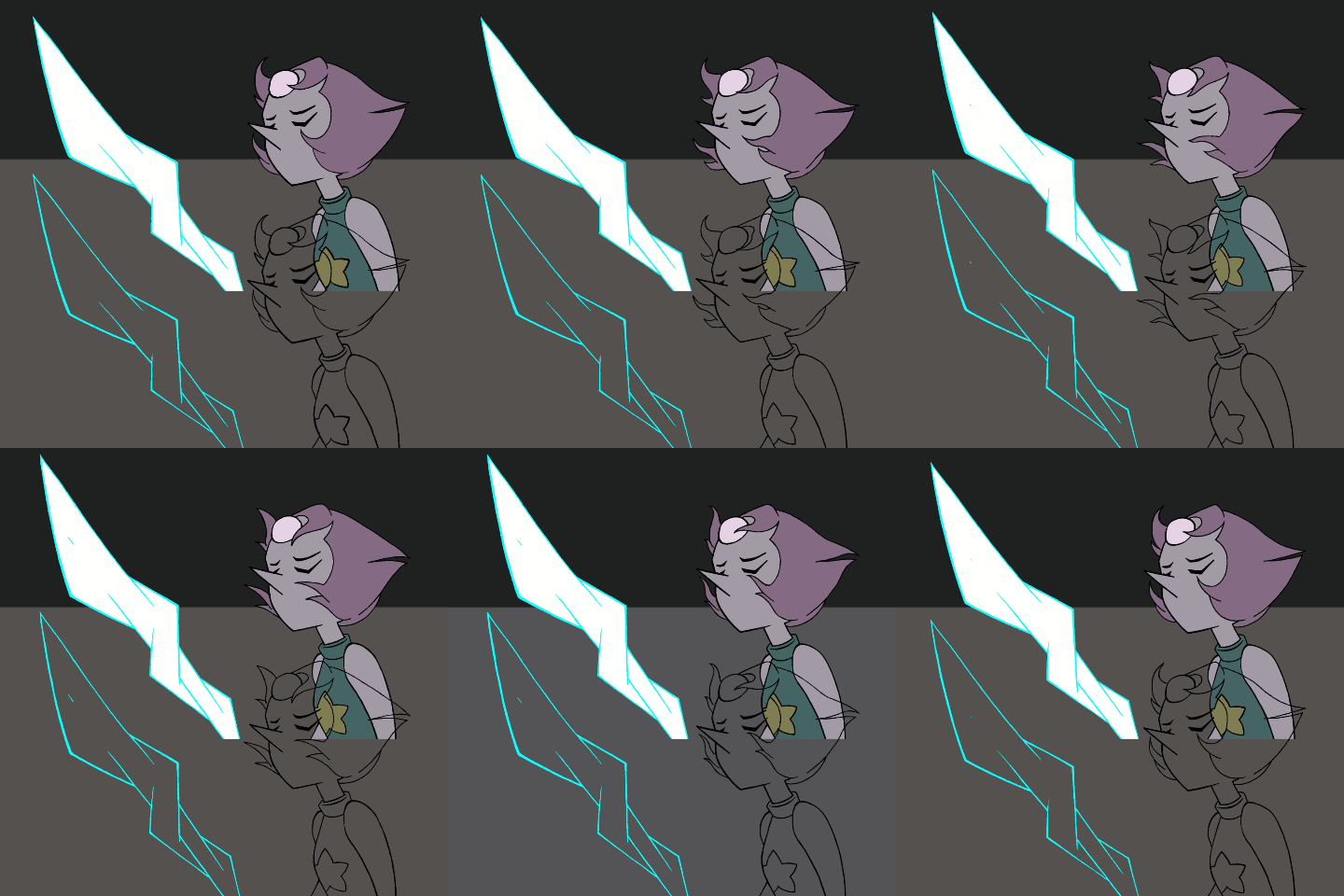
CLEANS & COLOR
During this stage, the slowness in the hair was essential to nail down. I added in-betweens and adjusted the exposure of the frames so the overall pacing is slower.
I went straight to cleans for the spear, since it is a firm object.
During this stage, the slowness in the hair was essential to nail down. I added in-betweens and adjusted the exposure of the frames so the overall pacing is slower.
I went straight to cleans for the spear, since it is a firm object.
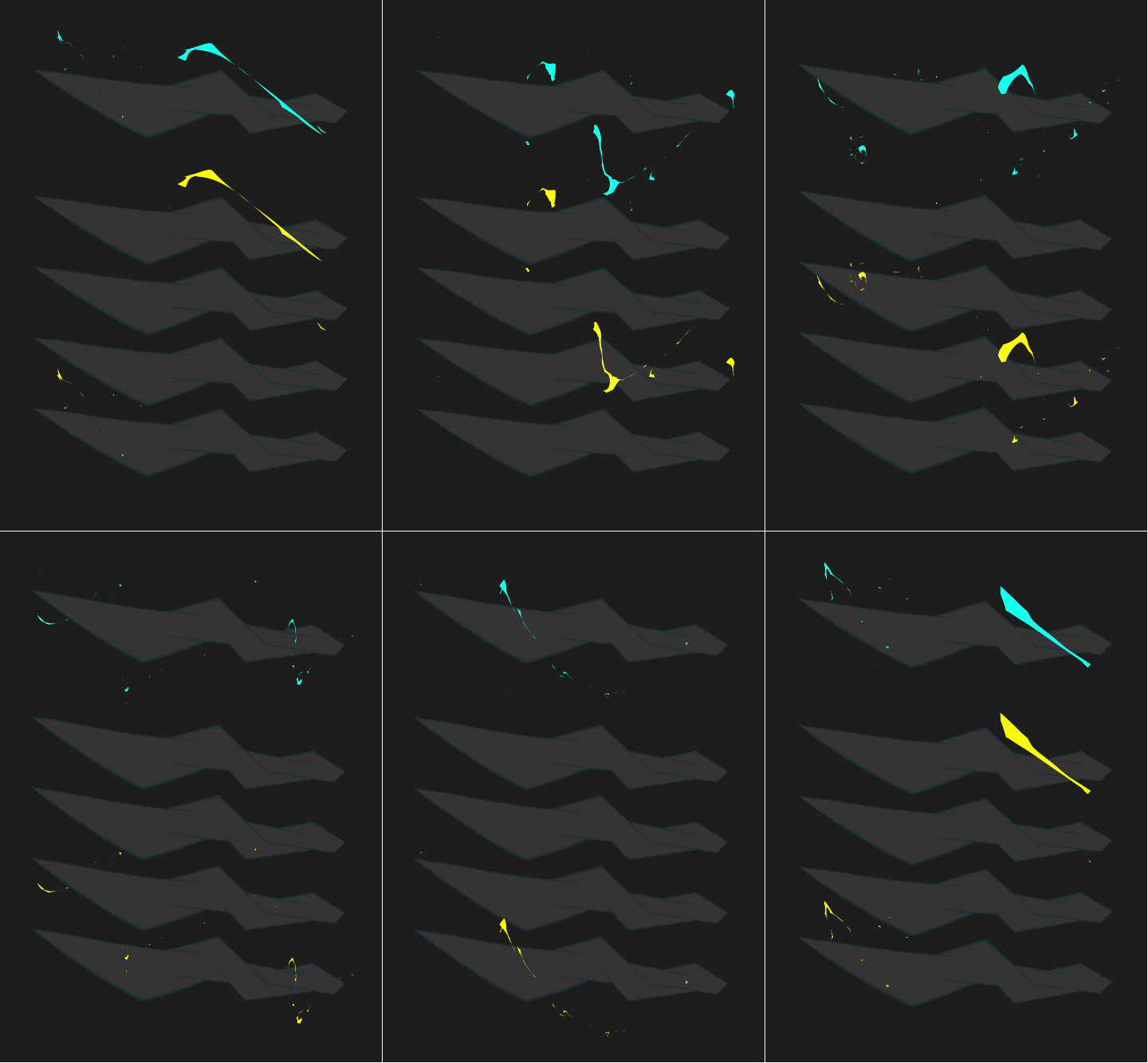
SPEAR 2DFX PT. 1
I animated 4 variations of a vortex flame spiraling around the spear upwards.
Key:
» Aqua = Flames Combined
» Yellow = Flame Variants
I animated 4 variations of a vortex flame spiraling around the spear upwards.
Key:
» Aqua = Flames Combined
» Yellow = Flame Variants
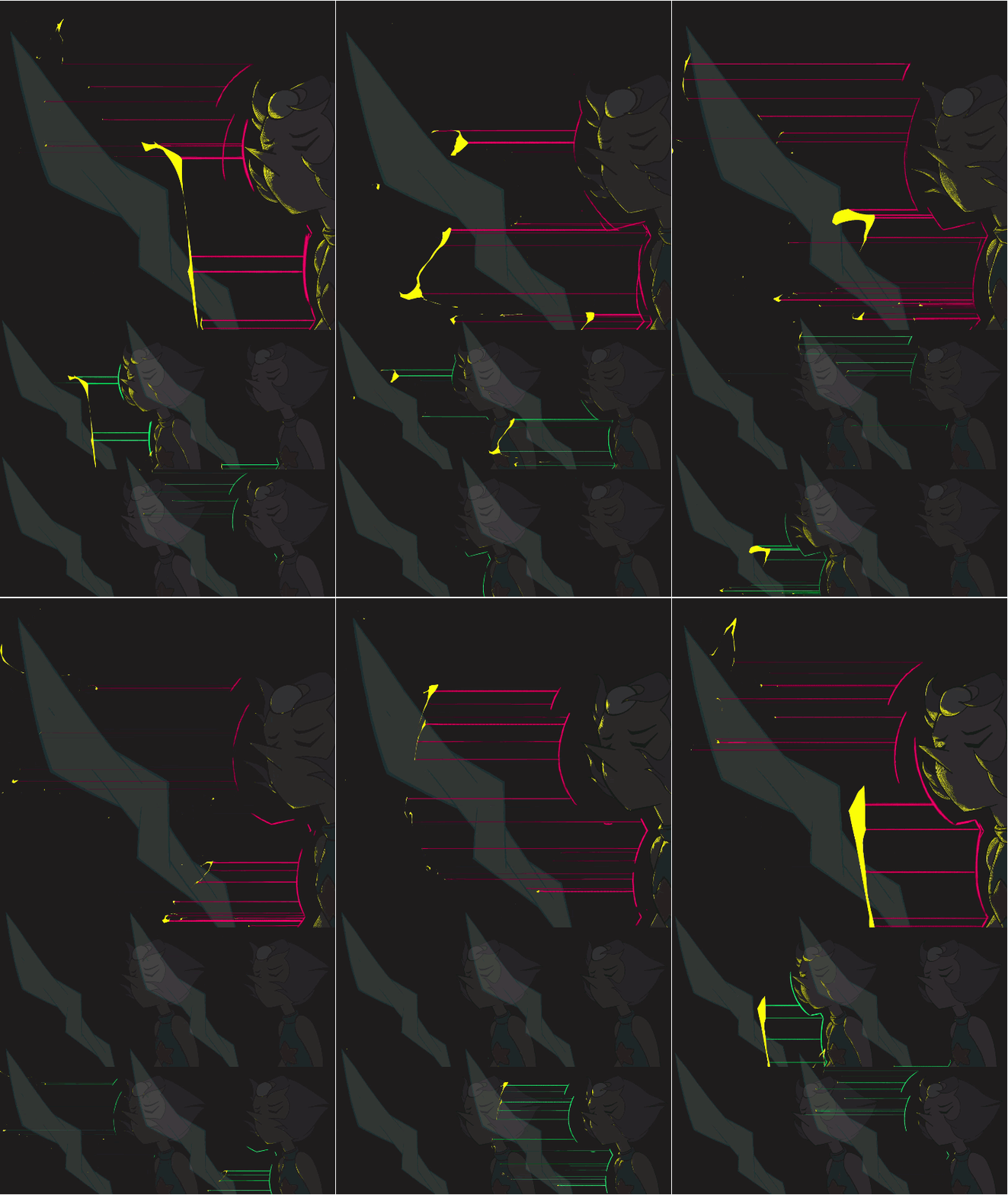
LIGHTING FROM SPEAR 2DFX PT.1
Following the previous step, I tracked the position of each vortex flame particle and illuminated the character, respectively. Denser particles caused greater illumination.
Key:
» Magenta = Guides Combined
» Green = Guide Variants
» Yellow = Particles & Illumination
Following the previous step, I tracked the position of each vortex flame particle and illuminated the character, respectively. Denser particles caused greater illumination.
Key:
» Magenta = Guides Combined
» Green = Guide Variants
» Yellow = Particles & Illumination
SPEAR 2DFX PT.2
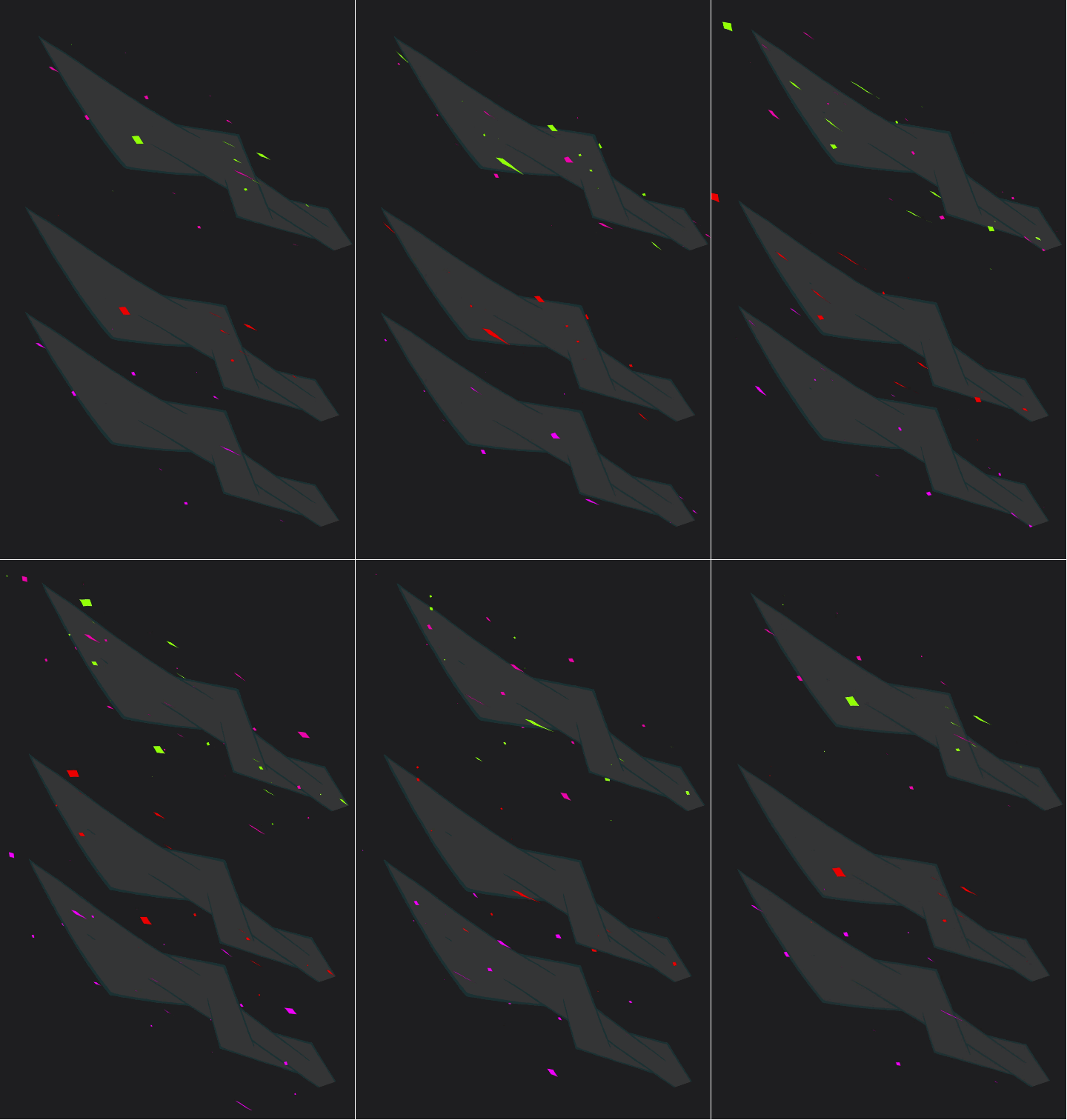
I felt the spear needed a calmer and more compact aura to contrast the chaotic vortex flames, so I animated 2 variants of diamond particles emerging upwards.
Key:
» Green & Magenta = Auras Combined
» Red & Purple = Aura Variants
I felt the spear needed a calmer and more compact aura to contrast the chaotic vortex flames, so I animated 2 variants of diamond particles emerging upwards.
Key:
» Green & Magenta = Auras Combined
» Red & Purple = Aura Variants
COMPOSITING
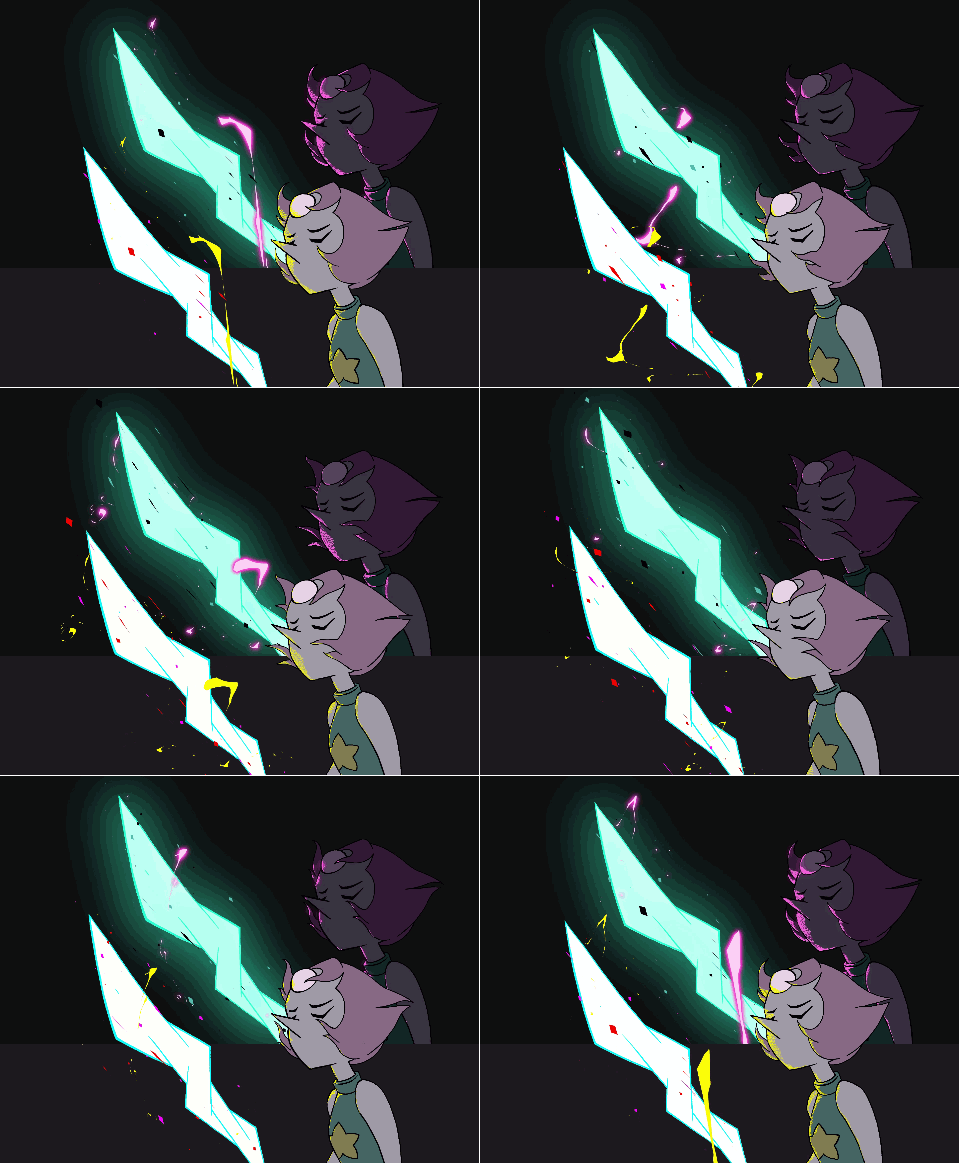
Lastly, I added all the layers together and applied color changes, glow effects, and atmospheric details.
Lastly, I added all the layers together and applied color changes, glow effects, and atmospheric details.